
News
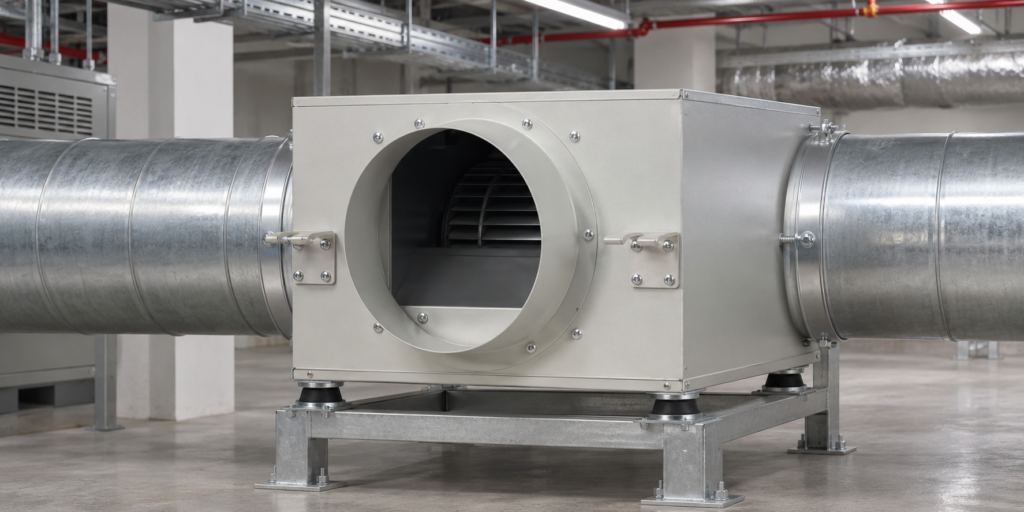
Planning a JYF low-noise duct fan installation starts with the room, the duct route and the required air supply. The indblower.com product page describes the JYF series as a low-noise duct supply fan for offices, shops, hotels and other noise-sensitive air-supply applications. It also asks buyers to confirm the mounting position, duct connection, airflow direction and system resistance before selection.
Start with the room and air-supply duty
List the space the fan will serve and describe the intended supply-air duty. The product page names offices, shops and hotels as typical applications. Consider which areas are sensitive to equipment sound and where the fan can be mounted while remaining accessible. These project details help frame the selection; they do not by themselves establish a guaranteed sound level in the finished room.
Map the duct route before choosing a model
Draw the proposed route and mark the fan position, duct connections and airflow direction. Check available space, access for installation and the connection points at both ends. The JYF selection notes specifically call for confirming mounting position, duct connection, airflow direction and system resistance. Use the actual project layout and ask the supplier to check any unclear arrangement before ordering.
Read the listed data as model-specific information
The JYF product page provides model data for voltage, high and low power, rotation, air volume, static pressure and noise. The entries below reproduce two rows as displayed on the site. They are reference values for those listed models, not a recommendation for every room or duct system.
| Model | Voltage | Power, high/low | Rotation, high/low | Volume, high/low | Static pressure, high/low | Noise, high/low |
|---|---|---|---|---|---|---|
| JYF1.8-200 | 220 V | 135/90 W | 1400/1220 r/min | 780/680 m³/h | 245/186 Pa | 34/31 dB(A) |
| JYF2.0-200 | 220 V | 175/115 W | 1400/1220 r/min | 950/830 m³/h | 285/216 Pa | 36/32 dB(A) |
Confirm the applicable operating mode and the meaning of the high/low entries with the supplier for your project. The figures on the product page should be compared with the system requirement rather than treated as a promise of the sound level at a particular distance or inside a finished room.
Coordinate mounting and connections
Before installation, confirm the selected model, mounting location, duct connections and intended direction of airflow against the project drawing. Keep the route and connection sizes consistent with the selected unit. Provide the required access for installation and maintenance, and check the system resistance with the supplier. Do not assume a connection arrangement from a generic illustration; use the actual product configuration and approved layout.
Prepare a useful supplier inquiry
Share the application, required airflow, system resistance, duct connection details, mounting position and intended airflow direction. If sound sensitivity is a key project consideration, state the room use and ask which listed model data and operating mode should be reviewed. Request confirmation that the proposed selection matches the intended system before finalizing the order.
FAQ
What applications are listed for the JYF series?
The product page lists offices, shops, hotels and other noise-sensitive air-supply applications.
Which details should be confirmed before selection?
Confirm mounting position, duct connection, airflow direction and system resistance, then compare the project requirement with the relevant model data.
Do the listed noise values guarantee the sound level in a room?
No room-specific guarantee is stated on the product page. Treat the table as listed product information and ask the supplier to assess the intended operating conditions.
Where can I review the JYF models?
See the JYF series Low Noise Fan product page or send project details through the indblower.com contact page.