
News
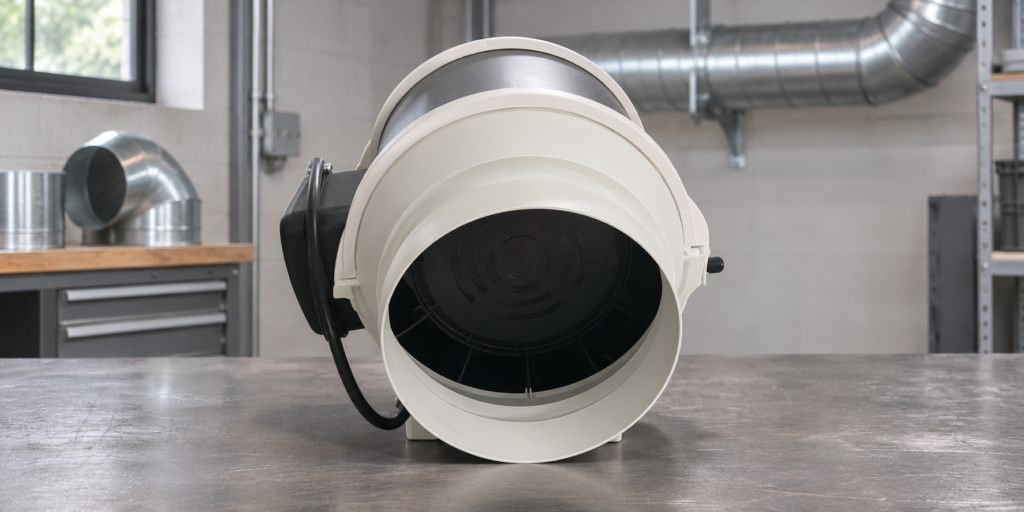
Mixed-flow duct ventilator selection starts with the conditions the fan must meet and the way it will connect to the duct system. The indblower.com product page describes the JD series mixed-flow duct ventilator as a duct booster for longer runs and applications with higher static-pressure requirements. Its selection notes ask buyers to confirm the mounting position, duct connection, airflow direction and system resistance.
When to review the JD series
The site lists the JD series under Fresh Air & Duct Fans and describes it for longer duct runs and higher static-pressure requirements. Treat that description as a starting point for review, then compare the project requirement with the published model data and confirm the final selection with the supplier.
Confirm these four system details
- Mounting position: Identify where the unit will sit in the duct route and check the space available for installation and access.
- Duct connection: Confirm the connection size and how it matches the planned ductwork.
- Airflow direction: State the intended direction through the system and confirm that the installation arrangement matches it.
- System resistance: Share the system resistance and required airflow for the application. Ask the supplier to check the operating requirement against the selected model rather than choosing by connection size alone.
These are the selection points specified on the JD series mixed-flow duct ventilator product page. Include them in the inquiry so the proposed unit can be reviewed in its intended duct arrangement.
JD series data listed on the product page
The following values reproduce the product page’s technical table. Paired values are shown as listed; confirm which configuration applies to your project when requesting a selection.
| Model | Power (W) | Voltage (V) | Volume (m³/min) | Pressure (Pa) | Take-over diameter (mm) |
|---|---|---|---|---|---|
| JD100 | 28/25 | 220 | 3.3/2.8 | 180/130 | 100/125 |
| JD150 | 50/40 | 220 | 7.0/6.3 | 300/250 | 150/160 |
| JD200 | 70/60 | 220 | 10.5/9.6 | 350/280 | 200 |
| JD250 | 170/130 | 220 | 19.2/15.1 | 550/400 | 250 |
| JD315 | 320/230 | 220 | 30.3/25.7 | 700/500 | 315 |
Use the table to compare the listed models with the project brief. The product page does not explain the paired values further, so verify the applicable values and configuration with the supplier before finalizing a specification.
A practical selection sequence
- Write down the required airflow and system resistance for the complete duct route.
- Record the mounting position, duct connection and intended airflow direction.
- Compare the project requirements with the model values shown above.
- Ask the supplier to confirm the suitable model and the exact configuration for the installation.
To request a review, share the application, required airflow, system resistance, connection size and mounting arrangement through the JD series product inquiry page.
Keep the selection record clear
Record the required airflow, system resistance, duct connection, mounting position, airflow direction and any preferred JD model in the inquiry. Keep values as listed on the product page and flag any configuration that still needs confirmation. This gives the supplier a clear basis for reviewing suitability and avoids treating connection diameter alone as a complete system check.
Frequently asked questions
What applications does the site list for the JD series?
The product page describes it as a mixed-flow duct booster ventilator for longer duct runs and applications with higher static-pressure requirements.
Which details should I confirm before selecting a model?
Confirm mounting position, duct connection, airflow direction and system resistance. Provide the required airflow and project conditions so the supplier can review the match.
Can I select a model using duct diameter alone?
The product page lists additional selection notes beyond connection size, including airflow direction and system resistance. Review the full system requirement and confirm the final model with the supplier.
What do the paired values in the table mean?
The product page presents paired values for several fields but does not explain the pairing in the table. Ask the supplier to identify the applicable configuration and values for your project.